A README template developers actually read
Most README files fail in one of two ways. Either they're a single line with the project name, or they're a wall of text that explains the architecture before telling anyone how to install the thing. Both send visitors back to the search results.
A good README answers questions in the order a visitor asks them. What is this? Is it for me? How do I try it? What do I do when it breaks? Below is a copyable template in that order, a short note on each section, and a filled version for an imaginary tool.
The template
Save this as README.md in the root of your repo and replace each line.
# project-name

One sentence on what it does and who it's for.

## Why it exists

Two or three sentences on the problem it solves and what it doesn't try to do.

## Quick start

```bash
install-command
first-useful-command
```

What you should see after running it.

## Usage

The three or four commands or functions people use most, each with a short example.

## Configuration

| Option | Default | What it does |
|--------|---------|--------------|
| name   | value   | one line     |

## Troubleshooting

The two errors people hit most and how to fix them.

## Contributing

How to run the tests, where to open issues, and what a good pull request looks like.

## License

MIT, Apache 2.0 or whatever applies, with a link to the LICENSE file.
Eight sections is plenty for most projects. A large library can split usage and configuration into a docs site and link to it from here.
What each section is for
The one sentence. This is the line people see in search results and on your repo card. Say what the project does and for whom, in words a newcomer knows. "A fast, flexible, modern data pipeline framework" says nothing. "Trims and cleans large CSV files from the command line" says everything.
Why it exists. Visitors want to know whether this solves their problem or a neighboring one. Two sentences on the gap you're filling, and one on what's out of scope, save everyone time.
Quick start. This is the most important section. Give the fewest steps from nothing to a working result, and show the output. If setup needs a specific runtime version, say so here rather than in a footnote.
Usage. Cover the common cases, not every flag. Link to full docs for the rest.
Configuration. A table is easier to scan than paragraphs. Include defaults, because that's the first thing people check.
Troubleshooting. Look at your closed issues. The two most common questions belong here.
Contributing and license. Short and practical. Point to a CONTRIBUTING file if you have one.
A filled example
Here's the template filled in for a small tool called csvtrim.
# csvtrim

Trims whitespace, drops empty rows and fixes line endings in large CSV files, from the command line.

## Why it exists

Spreadsheet exports often add trailing spaces and blank rows that break imports. csvtrim cleans them without loading the whole file into memory. It doesn't change column types or reorder data.

## Quick start

```bash
pip install csvtrim
csvtrim clean orders.csv -o orders-clean.csv
```

You'll see a summary like `Removed 214 empty rows, trimmed 9,032 cells`.

## Usage

```bash
csvtrim clean input.csv -o output.csv      # default clean
csvtrim clean input.csv --keep-empty       # trim only, keep blank rows
csvtrim check input.csv                    # report problems, change nothing
```

## Configuration

| Option        | Default | What it does                      |
|---------------|---------|-----------------------------------|
| --delimiter   | ,       | Field separator                   |
| --encoding    | utf-8   | Input file encoding               |
| --line-ending | lf      | Output line ending, lf or crlf    |

## Troubleshooting

- `UnicodeDecodeError` means the file isn't UTF-8. Try `--encoding latin-1`.
- If output has one giant column, set `--delimiter ";"`.

## Contributing

Run `pytest` before opening a pull request. Issues and ideas are welcome in the tracker.

## License

MIT. See LICENSE.
Common mistakes to avoid
- Install steps that assume tools. If you need Docker or a package manager, say which and which version.
- Stale examples. Run every command in the README before each release. Broken examples cost more trust than missing ones.
- Jargon up top. Save internal terms for the docs. The first paragraph is for strangers.
- Badges before meaning. A row of twelve badges above the one sentence pushes the useful part off the screen.
The opening paragraphs are where clarity matters most. If yours leans on acronyms and internal names, it's worth learning to simplify technical text before you publish, so a newcomer understands the project before they scroll.
Keep it current
Treat the README like code. Update it in the same pull request that changes behavior, and ask reviewers to check it. A README that matches the latest release is the cheapest support you'll ever offer.
For the one sentence summary at the top, I'll sometimes put my draft through Rephrase AI with Professional selected and keep whichever version a stranger could follow without opening the docs.
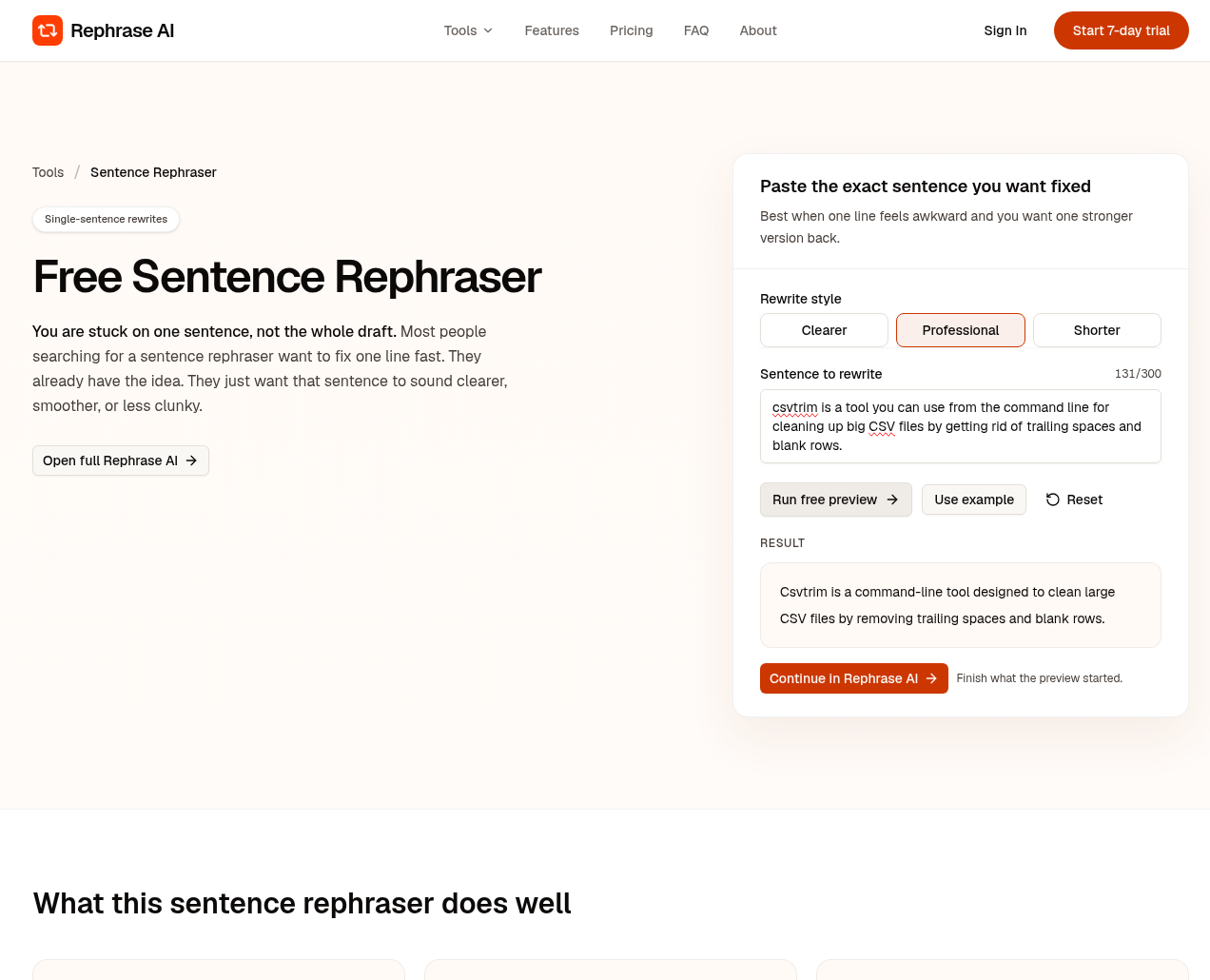
Rephrasing a one line README summary for csvtrim in Rephrase AI on Professional.
About the author
- Rephrase what you wrote into what you meant to say.
Comments
Join the discussionNo comments yet. Be the first to comment.